
BASIC INTERFACE
MAIN INTERFACE
The JAMGATHER website is divided into three main sections.
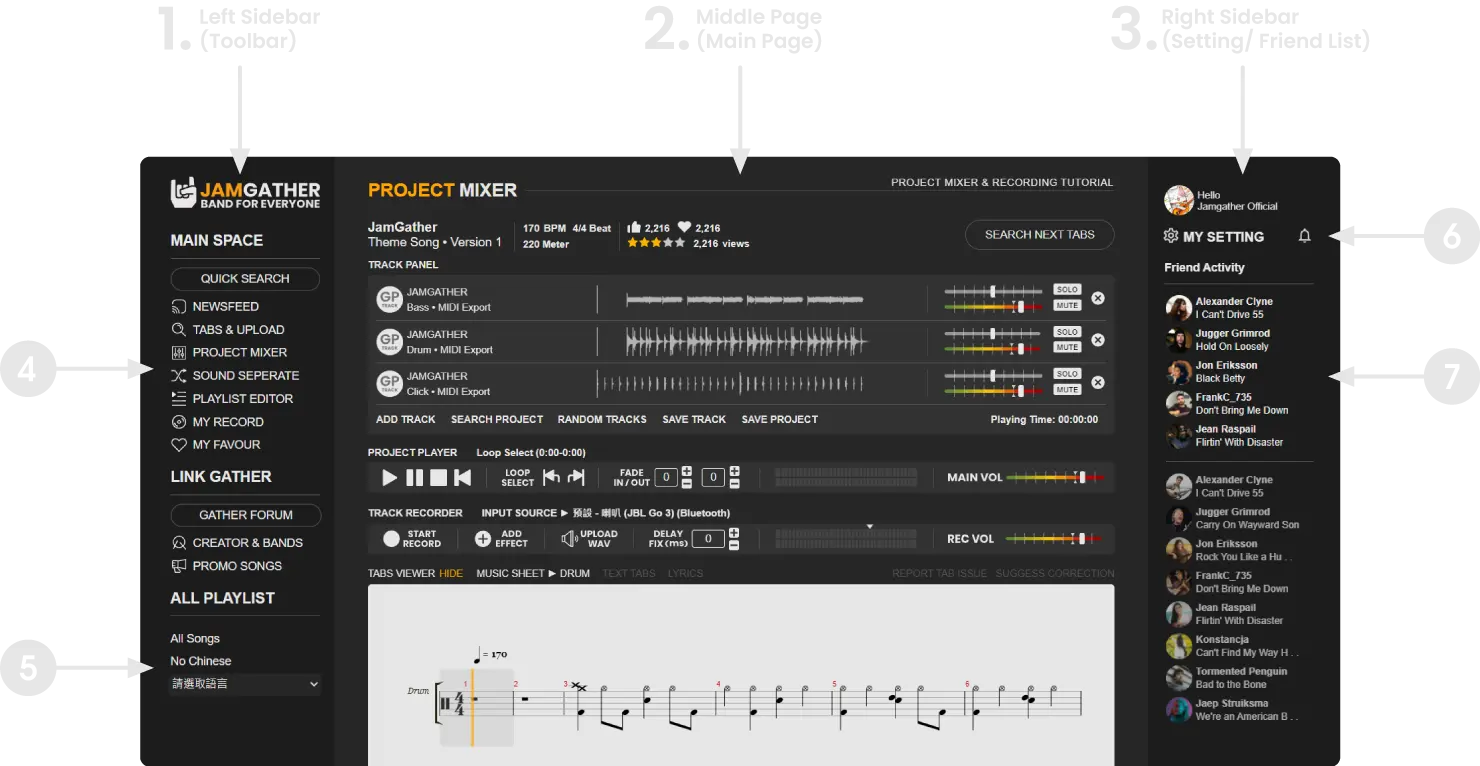

All major features are here, such as the main mixing console PROJECT MIXER, PLAYLIST creation, widgets, social media, forums, and other features added later.

Playlists created in the PLAYLIST EDITOR will be synced to this location, allowing you to quickly access them anytime you are online.

MY SETTING is where you can access your account's basic settings, including social profile, avatar, banner, your instrument collection, favorite music genres, and other related items.

The Friends List is part of NEWSFEED. For Message / Search / Activity Visibility details, open Friends List / Message / Search / Activity Visibility in NEWSFEED & FRIENDS.
LEFT SIDEBAR TOOLBAR AND PLAYLIST
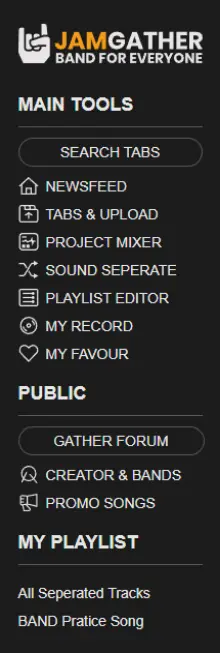
NEWSFEED
Our blog and social network platform allow registered members to post text messages, links, and share videos, photos, tracks, projects, YouTube, or other sources. Connect with friends and keep track of their activities by adding them as friends and viewing the newsfeed, which serves as a channel for music-related information. Share your thoughts and creations with the community and discover new music and content through our platform.
TABS LIBRARY
This feature allows you to search for and upload new tabs. Simply search for a song and click on it to access the Project Mixer page, where you can change the track's settings and record or add tracks from other users. Save your creations as projects, with the default format being Guitar Pro/MIDI. You can also manually set basic specifications such as the beat track by following the instructions in the "Tabs Library" tutorial. Whether you're looking for new music to practice or want to share your own creations, our platform has you covered.
PROJECT MIXER
This is one of the core features of our platform, offering basic mixing capabilities. After selecting a song, you can record your own tracks or add tracks from other members' instruments to create a project. You can then share your tracks or projects with friends or on other platforms. In addition to songs, you can also add practice loops or basic style loops to share and exchange with other players. For more information on how to use the Project Mixer, please refer to the "Project Mixer Tutorial" section.
SOUND &SEPERATE AI
Our powerful AI technology can separate MP3 or FLAC files that you upload into various audio tracks, such as vocal, bass, drums, and others. These files can be found in your account under "Projects" and added to a customized playlist. The Playlist Mixer function also includes the ability to mute individual tracks for easier practice. As we continue to improve and advance our AI technology, we are committed to being able to divide audio tracks into more categories and provide even better sound quality in the future.
MY RECORD & MY FAVOUR
My Record and My Favour are website features that streamline asset management and access. With My Record, you can discover, edit, or delete your owned tracks, projects, tabs, and more at any time. You can also incorporate your owned projects into playlists for easy use. On the other hand, My Favour allows you to add your favorite website items, including tracks, projects, tabs, and more, for quick future access. Additionally, you can directly share links to your favorite creations with friends via the platform. Whether organizing your assets or bookmarking preferred content, both features enhance your website experience.
RIGHT SIDEBAR SETTINGS & FRIENDS LIST
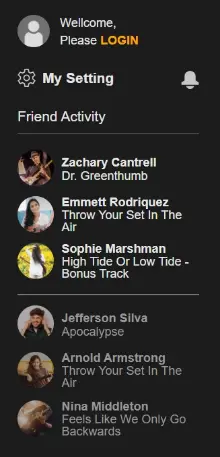
◀ LOGIN and SIGN UP
◀ Personal Data and Account Settings / Notifications or Messages
• My setting: update personal information, view assets, account information
• Bell: Notifications or Messages
◀ Friends panel quick view
• For full flow (Friends List / Message / Search / Activity Visibility), see NEWSFEED & FRIENDS guide.
LAST UPDATE: 2026-03-06